
Spoofer Status: FAILED / NOT SPOOFED
If your spoofer displays
If your spoofer displays
Spoofed Failed and remains Not spoofed, Windows is blocking the spoofer driver from loading into memory.
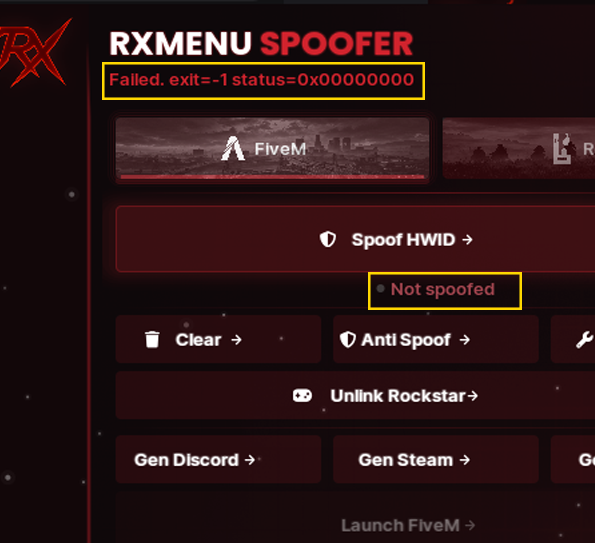
This issue occurs when Windows Security (HVCI / Core Isolation or Vulnerable Driver Blocklist) blocks the driver from loading. Follow the steps below to adjust your security settings and allow the driver to run properly.
1. Error Symptom #
A Program Compatibility Assistant prompt appears stating:
"A driver cannot load on this device - A security setting is detecting this as a vulnerable driver and blocking it from loading."
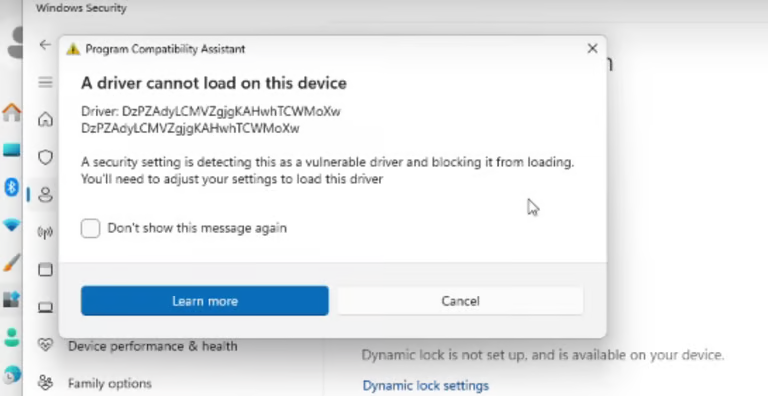
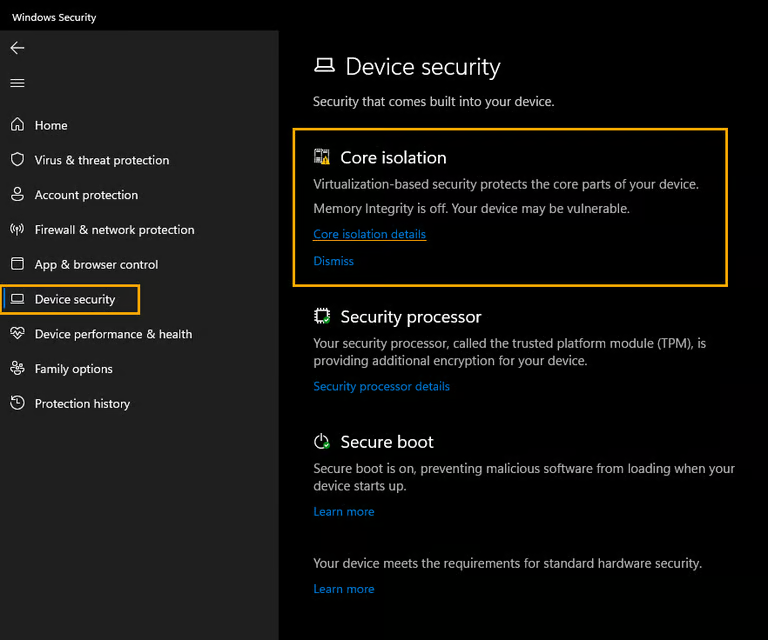
2. Open Core Isolation Settings #
Open the Windows Security application from your Start Menu:
- Click on Device security in the left-hand navigation pane.
- Under the Core isolation section, click on Core isolation details.
3. Turn Off Memory Integrity #
In the Core isolation settings page, locate the Memory integrity option:
- Toggle the switch to Off.
- Accept the User Account Control (UAC) administrator prompt if requested.
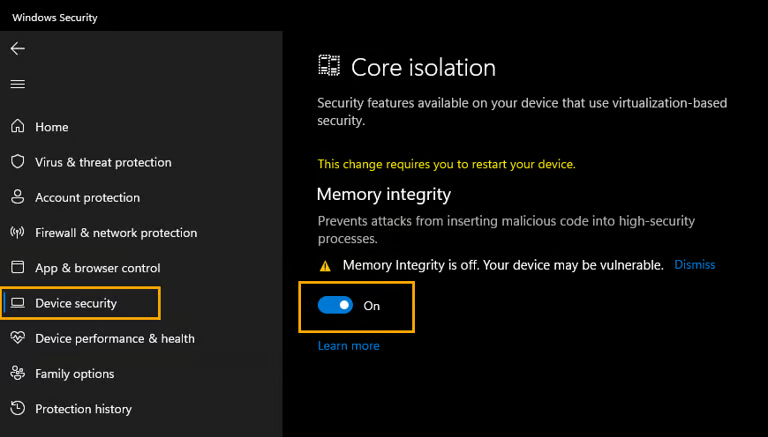
4. Restart Your Computer #
Important: A full system reboot is required ("This change requires you to restart your device") for the Core Isolation and Memory Integrity change to take effect.
5. Alternative Fix: Apply Registry Fix (.reg) #
If turning off Memory Integrity manually does not resolve the issue, if the option is greyed out (e.g. "managed by your administrator"), or if Windows continues blocking the driver with the Microsoft Vulnerable Driver Blocklist, apply the official RXFix.reg registry fix below.
What this .reg file does:
-
Disables Vulnerable Driver Blocklist:
Sets"VulnerableDriverBlocklistEnable"=dword:00000000in:
HKEY_LOCAL_MACHINE\SYSTEM\CurrentControlSet\Control\CI\Config
Prevents Windows from blocking the driver. -
Disables Hypervisor Enforced Code Integrity (HVCI):
Sets"Enabled"=dword:00000000in:
HKEY_LOCAL_MACHINE\SYSTEM\CurrentControlSet\Control\DeviceGuard\Scenarios\HypervisorEnforcedCodeIntegrity
RXFIX.REG — REGISTRY SCRIPT
Windows Registry Editor Version 5.00

[HKEY_LOCAL_MACHINE\SYSTEM\CurrentControlSet\Control\CI\Config]
"VulnerableDriverBlocklistEnable"=dword:00000000

[HKEY_LOCAL_MACHINE\SYSTEM\CurrentControlSet\Control\DeviceGuard\Scenarios\HypervisorEnforcedCodeIntegrity]
"Enabled"=dword:00000000
Installation Steps:
- Download the ready-to-use registry file:
- Double-click (or right-click > Merge) the downloaded
RXFix.regfile. - Click Yes when prompted by Windows UAC, then click Yes to confirm adding the keys to your registry.
- Restart your PC for the changes to apply properly.